End-to-End Intelligence
for Paper Mills
Deckle Plus combines a mathematically-optimal cutting engine with a complete production workflow, so your planning team spends minutes, not hours, on each shift's schedule.
From Order Entry to Dispatch in One Platform
Configure Once
Set up your machines, deckle widths, blade count limits, paper types, and GSM profiles. This takes under an hour with our team during onboarding.
Enter Orders and Optimize
Your planner enters the day's order widths and quantities. Hit Optimize and the engine returns a minimal-waste pattern set in milliseconds, respecting all machine constraints.
Execute, Track, and Dispatch
Operators execute runs on the floor, log any waste events, and close runs. Challans are auto-generated for dispatch. Every step is logged for management review.
Every Feature You Need to Run a Tighter Mill
A complete stack, not a collection of disconnected tools.
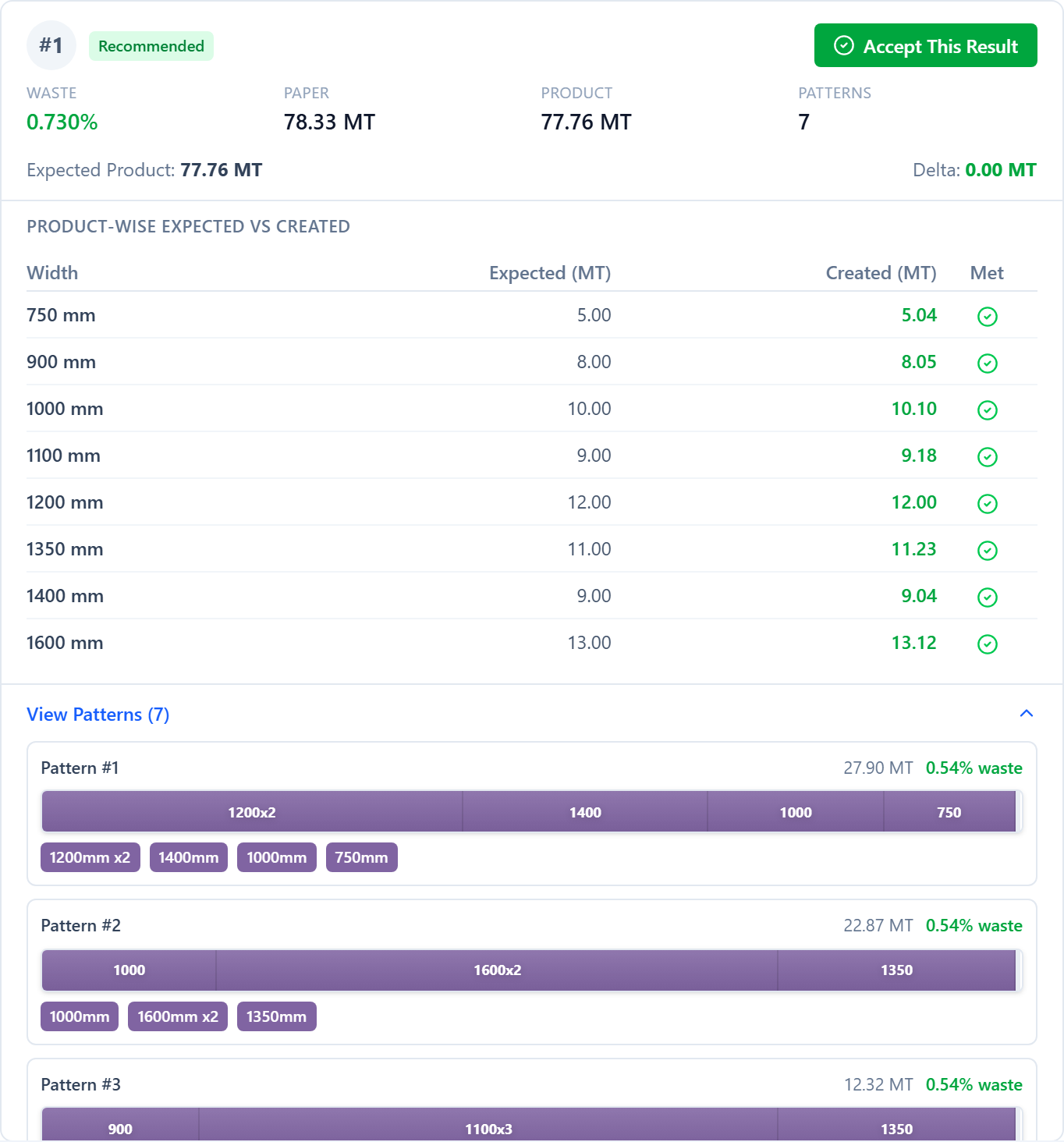
Optimization Engine
A proprietary algorithm evaluates thousands of cutting combinations in milliseconds. It respects your machine's deckle width, blade count limits, and minimum trim constraints, then returns the mathematically-tightest pattern set for your order list.
- Two-phase optimization: column generation + knapsack solve
- Optimizes REEL and SHEET widths together (THERMAL widths are tracked, not cut)
- Enforces minimum trim and blade count constraints per machine
- Runs client-side in Sandbox; cloud-solved for production runs
Order Management
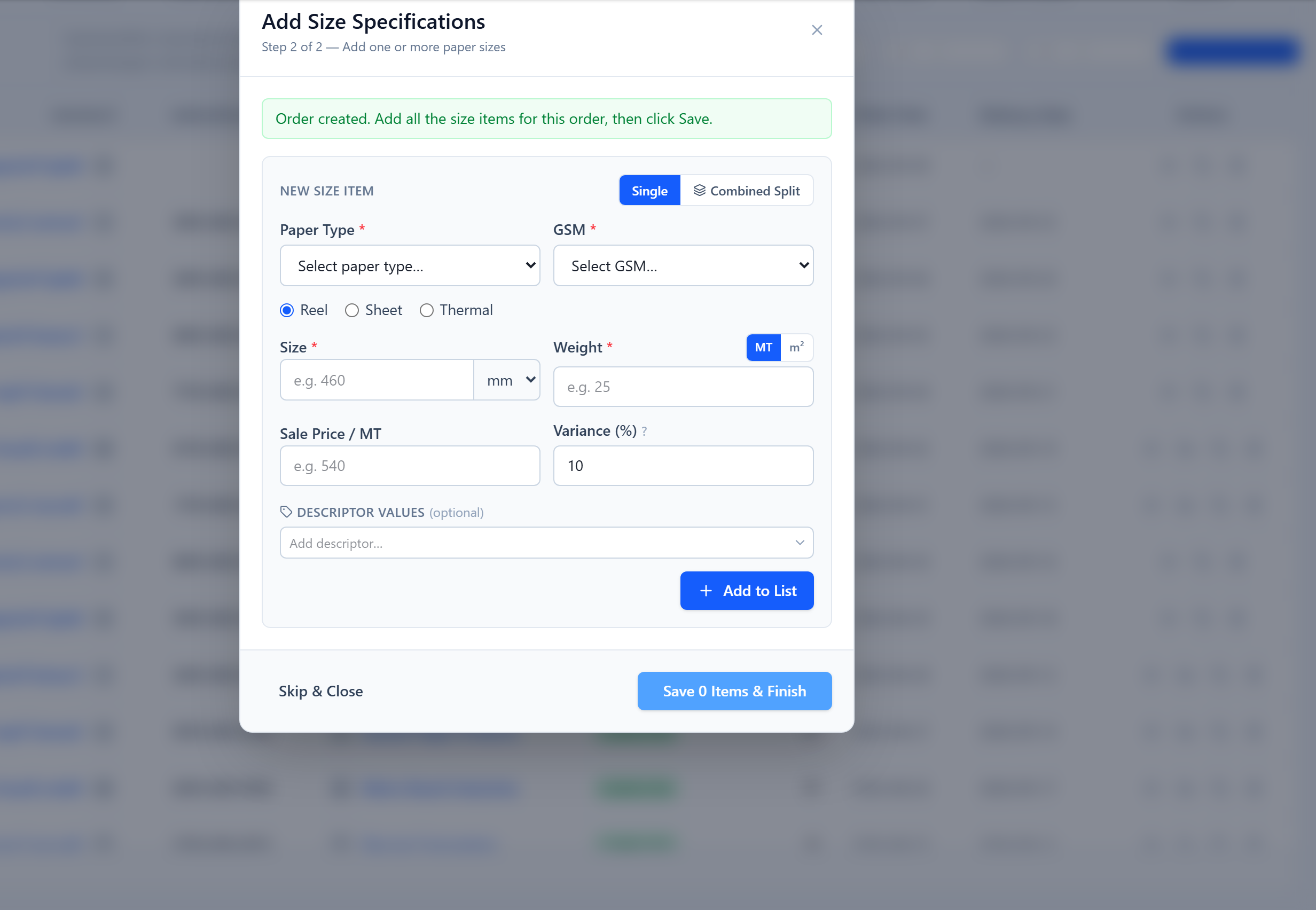
Enter customer orders with a target weight in metric tons per width, plus paper type and GSM. The platform validates every entry against your paper configuration and builds a production queue ready for optimization, all in one screen.
- REEL widths: one width and a target weight, validated against the deckle
- SHEET widths: width × height, both dimensions optimized
- THERMAL widths: record-only lines for thermal-grade rolls; core/OD as descriptors
- Bulk order import and export via CSV
Inventory & Raw Material Tracking
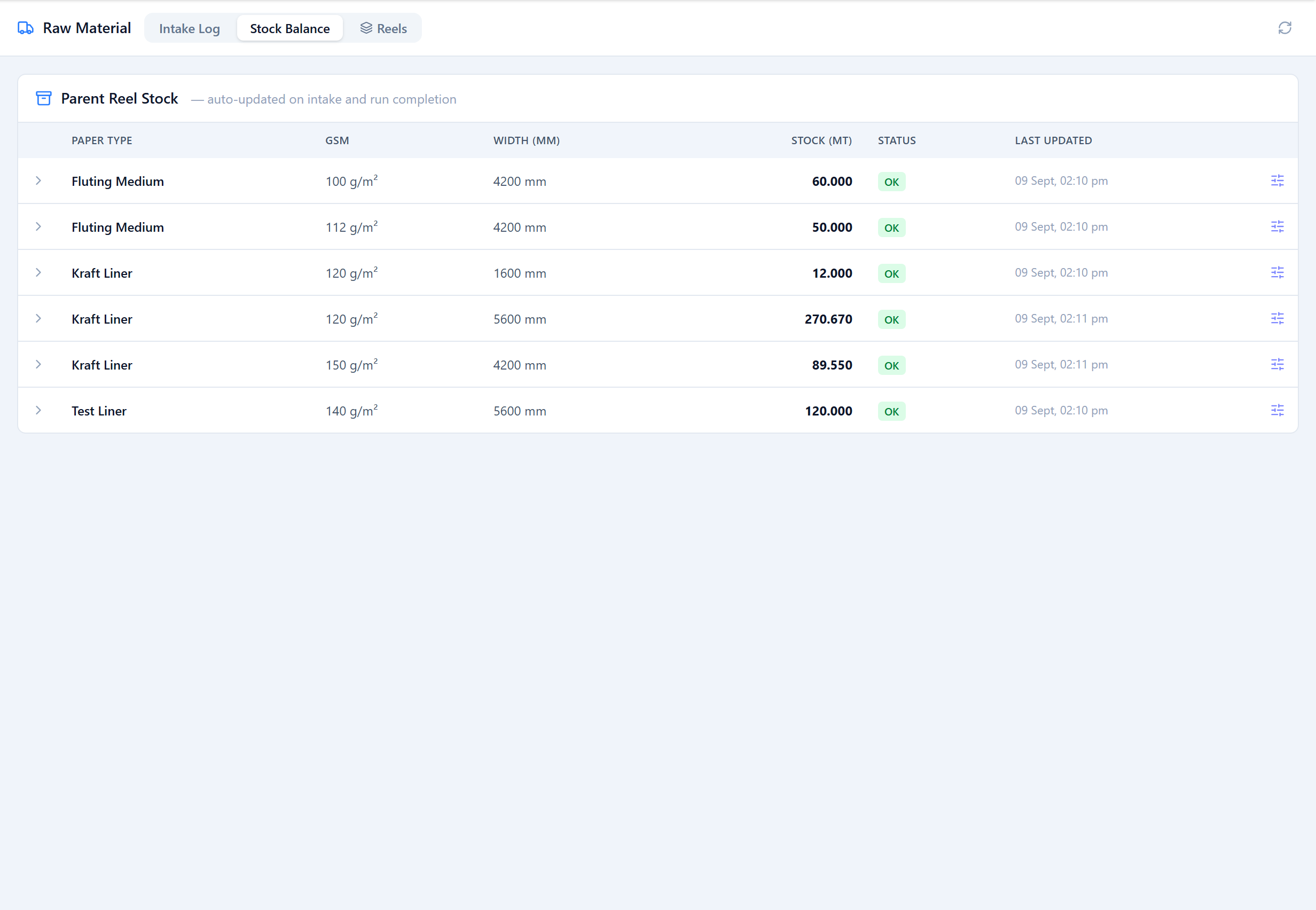
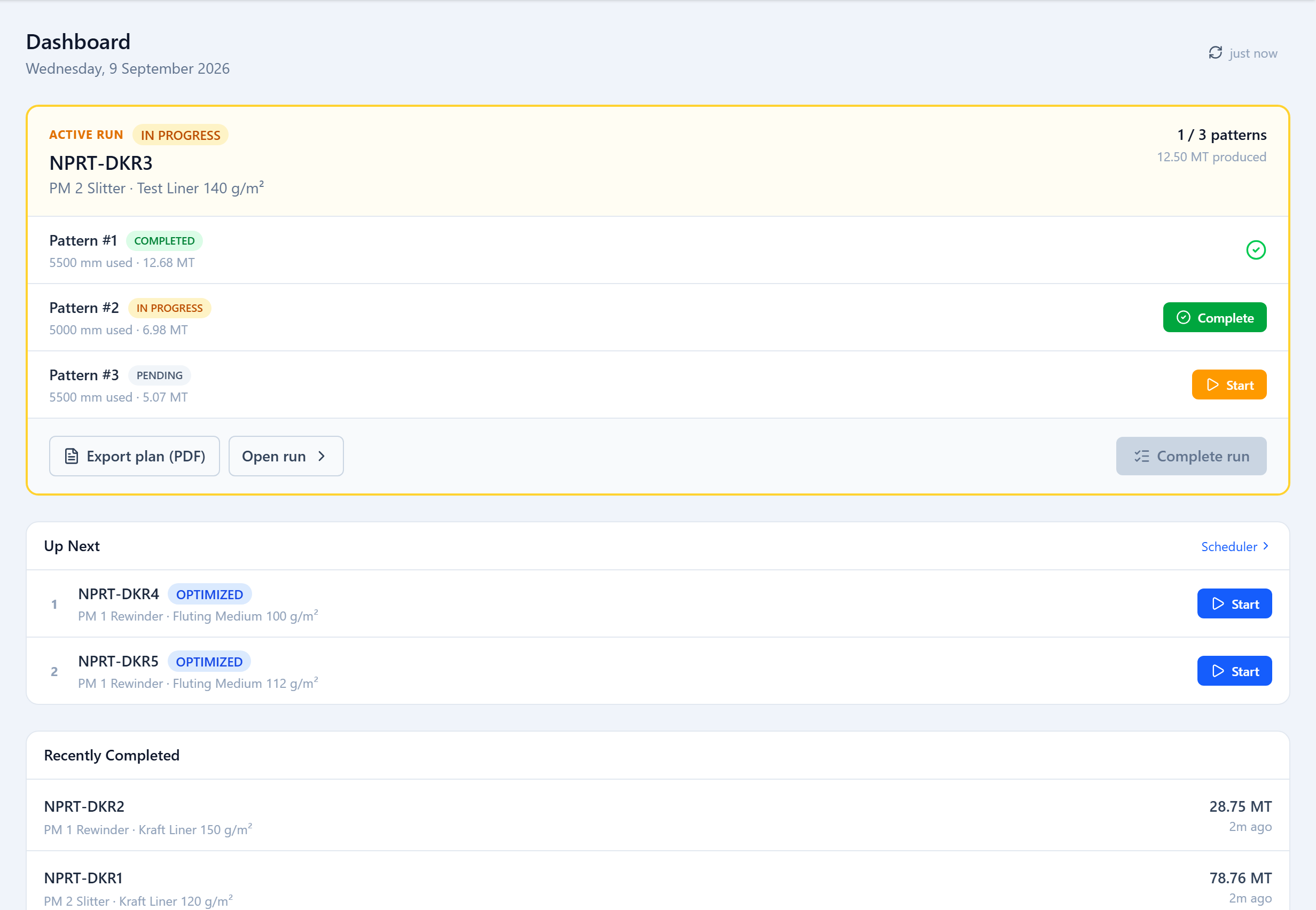
Record raw reel intake from suppliers, track each reel's remaining weight, and associate every production draw with a specific run. The system uses FIFO allocation automatically, with no manual tracking required.
- Supplier intake logging with reference numbers
- Per-reel weight tracking (original → remaining)
- FIFO allocation across production runs
- Full consumption history from delivery to run
Production Run Management
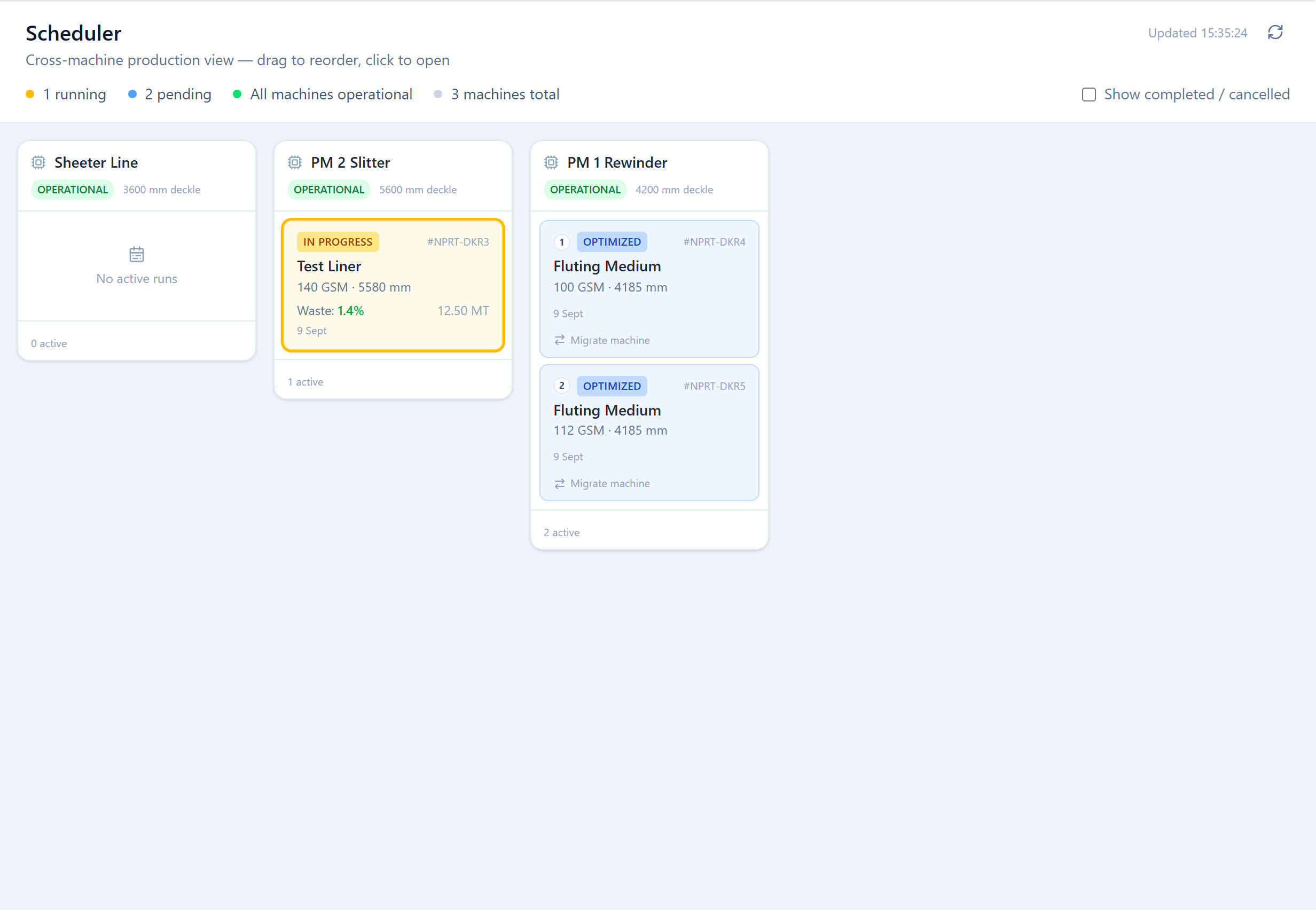
Create a production run from your optimized pattern set, assign it to a machine, and track progress from floor start to dispatch. Every wastage event, delay, and quantity adjustment is logged with timestamps.
- Machine assignment with deckle configuration snapshot
- Waste event logging per blade run
- Actual vs. planned quantity variance tracking
- Run history with full audit trail
Sandbox / What-If Analysis
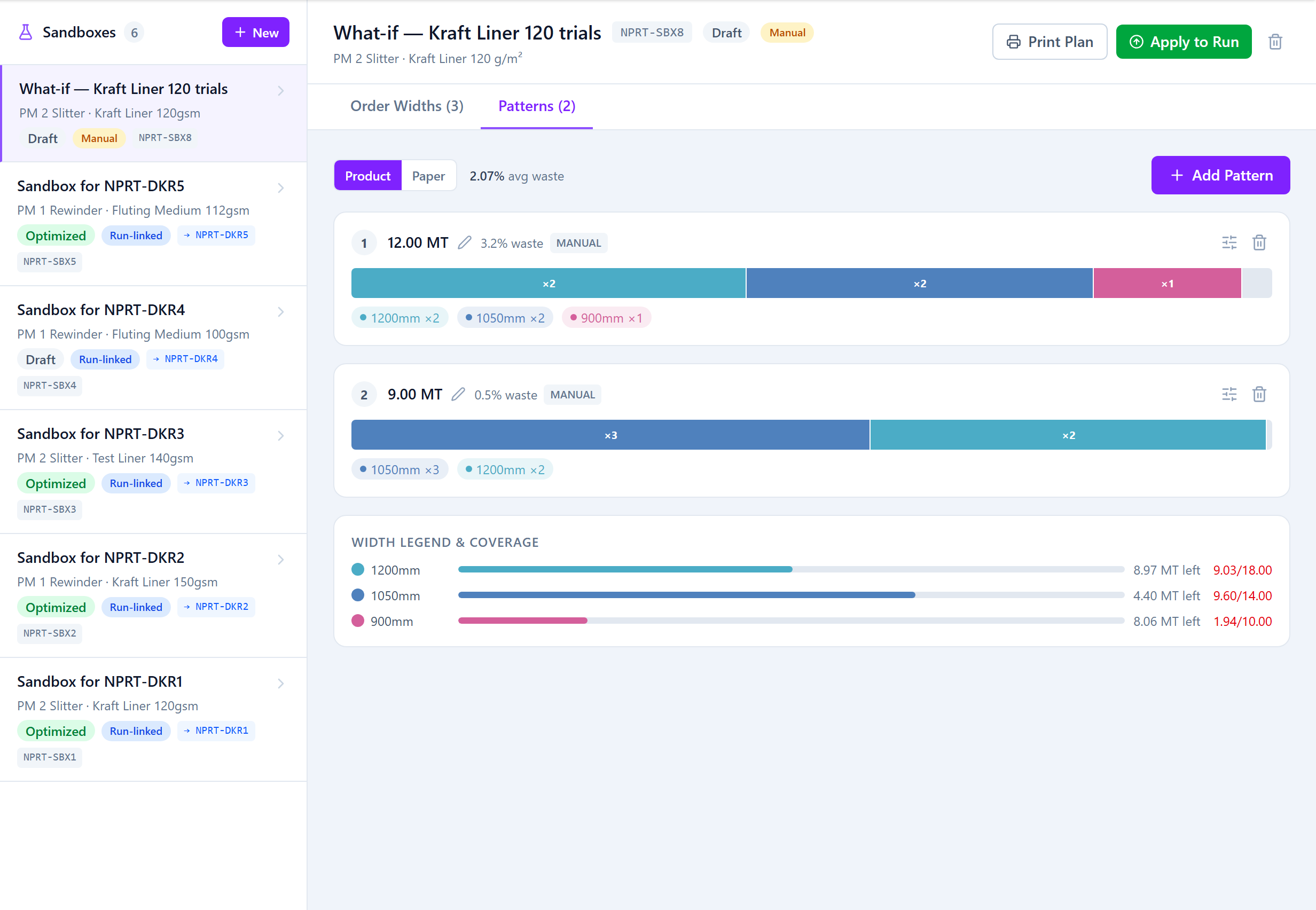
Fork any optimization result into an isolated Sandbox. Adjust order widths, swap patterns, or add last-minute orders, then compare waste totals before deciding whether to promote the scenario to your live run.
- Non-destructive copy of any production run
- Free modification of widths, quantities, and patterns
- Side-by-side waste comparison: original vs. sandbox
- Apply back to the run while it's still draft or optimized
Role-Based Access Control
Deckle Plus ships with four production roles out of the box. Admins configure machines and staff. Planners create orders and trigger optimizations. Operators execute runs and log waste. Supervisors review everything.
- Admin: full configuration and user management
- Planner: order entry and optimization control
- Operator: production execution and waste logging
- Supervisor: read-only analytics and approval flows
Dispatch & Delivery Challans
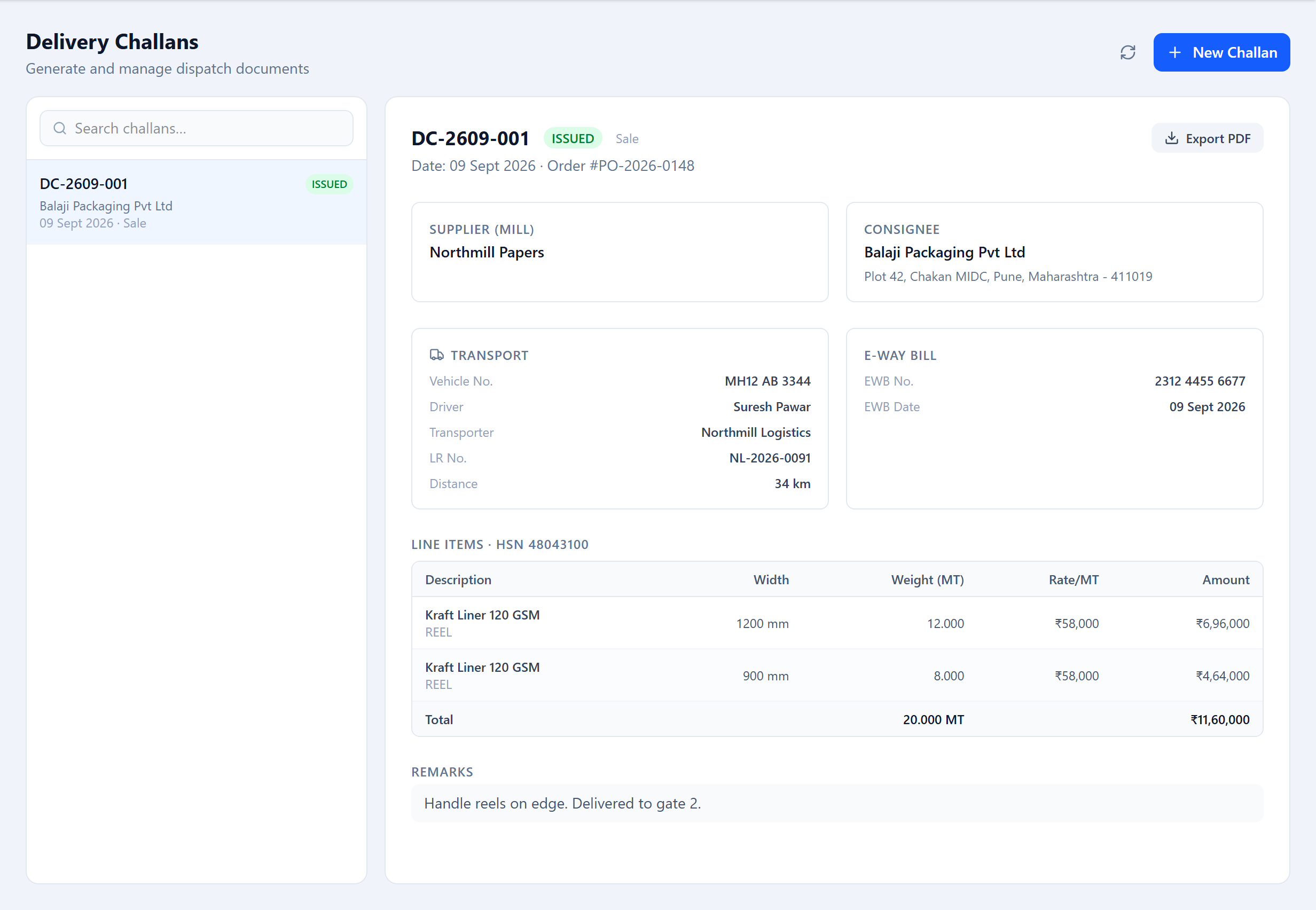
Generate delivery challans directly from completed production runs. Every challan carries the order reference, quantity delivered, vehicle number, and dispatch timestamp, ready to print or email to your customer.
- PDF challan generation in one click
- Links to source order and production run
- Driver and vehicle assignment
- Customer-facing dispatch notification
Analytics & Reporting
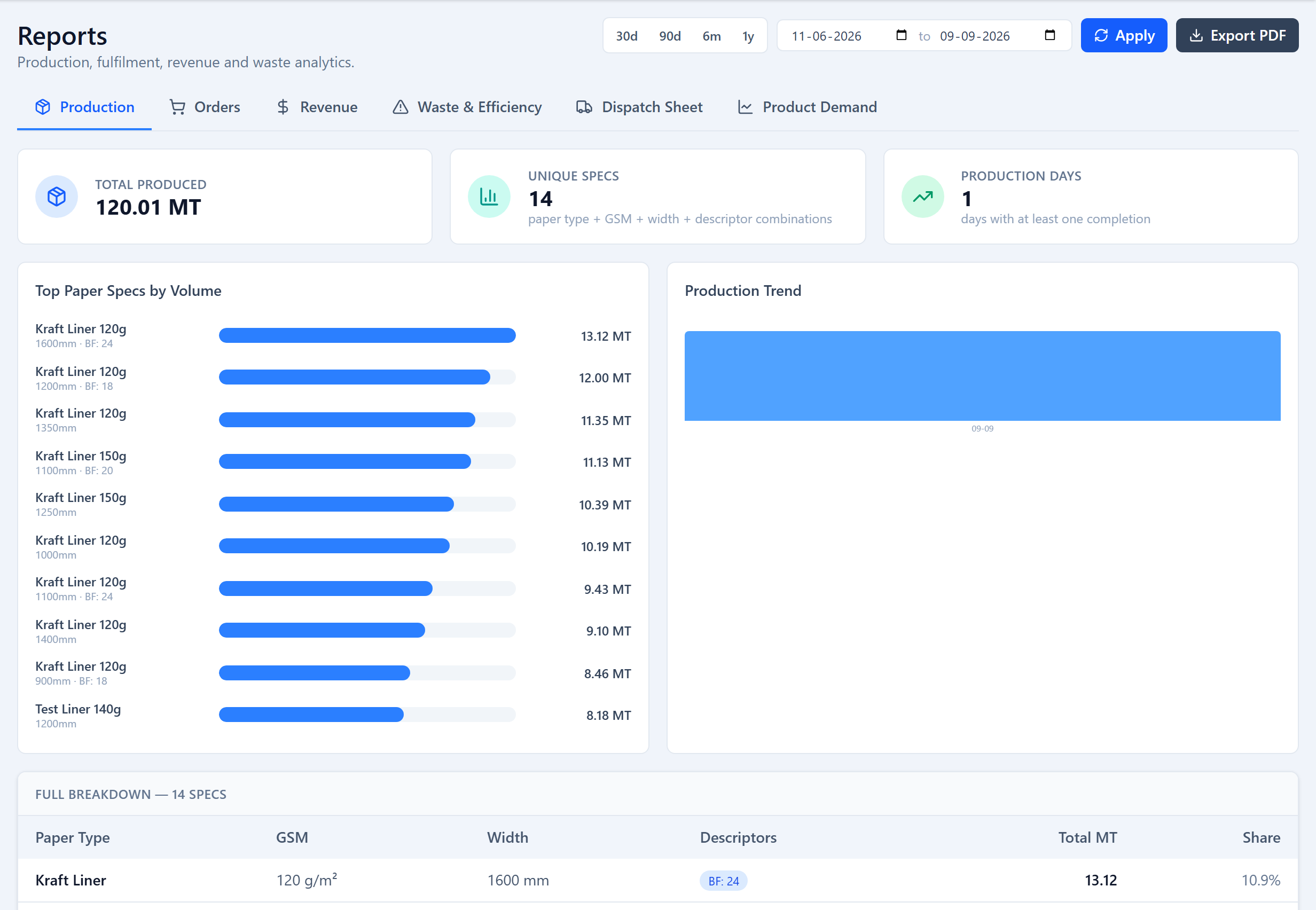
Track production, trim waste, revenue and dispatch across any date range, with breakdowns by machine, customer and paper spec, plus a per-customer activity pipeline.
- Waste % and best-performing machine by period
- Order fulfilment rate and MT ordered vs produced
- Revenue and revenue per MT by customer and spec
- PDF and CSV export on every report
Questions About Deckle Plus
Technical and operational questions about the platform, the algorithm, and how it fits your operation.
1What is the cutting stock problem in paper manufacturing?
The cutting stock problem is the challenge of cutting fixed-width material (a paper deckle) into smaller specified widths with minimum waste, while satisfying all customer order quantities. Deckle Plus solves this using a two-phase column generation and knapsack algorithm that runs in milliseconds for typical production order sets of 8–25 different widths, consistently achieving trim waste under 0.5%.
2How does two-phase optimization reduce paper mill trim waste to under 0.5%?
Phase 1 (column generation) enumerates every feasible combination of order widths that fits within the machine deckle without violating blade count or minimum trim constraints. Phase 2 (knapsack solve) selects the minimal-waste subset of those patterns that fulfils all order quantities. The result is a production plan where average trim across all passes is typically below 0.5% of total paper consumed, compared to 2-5% with manual planning.
3What is the difference between REEL, SHEET, and THERMAL order widths?
A REEL width is a finished roll at one width, the standard output for most mills. A SHEET width adds a height dimension, and Deckle Plus optimizes both dimensions, choosing which one runs across the deckle. A THERMAL width is a record-only line for thermal-grade rolls (POS receipts, label stock) — the optimizer does not build a cutting pattern for it; it is used for order tracking, stock fulfilment and dispatch, with core and OD carried as descriptors. REEL and SHEET widths are optimized together on a run.
4How does the Sandbox feature prevent production errors from last-minute order changes?
The Sandbox creates an isolated copy of a production run. The planner modifies widths or patterns inside the Sandbox without touching the live plan. After re-optimising, a side-by-side waste comparison is shown. Only an explicit apply action replaces the run with the Sandbox version, and only while the run is still draft or optimized — once an operator starts the run, the sandbox locks. Accidental overwrites are impossible by design.
5What is FIFO inventory allocation and why does it matter for paper mills?
FIFO (First-In, First-Out) allocation ensures older raw material reels are consumed before newer deliveries. Paper properties such as moisture content and flatness change with age, so consuming older stock first reduces the risk of degradation or quality failures. Deckle Plus applies FIFO automatically when assigning reels to production runs, with manual override available when a specific reel is required.
6Does Deckle Plus work for tape manufacturers and label printers, not just paper mills?
Yes. The deckle optimization logic is identical for tape (BOPP, masking, double-sided) and label converting operations. Core and outer diameter specs common in tape and label rolls are recorded as descriptors on the order width. The platform supports all converting operations that cut wide-reel material to narrower finished widths on a deckle-constrained machine.
Ready to cut smarter?
Our team will configure your machines, paper types, and run a live optimization with your actual order data, so you see real waste reduction numbers before you commit.
Book a Walkthrough