Introduction
What is Deckle Plus?
Deckle Plus is an end-to-end production management platform built for paper mills and roll-converting operations. It pairs a purpose-built cutting-optimization engine with the operational workflow around it: customer orders, production runs, raw-material and finished-goods inventory, waste tracking, dispatch challans, and reporting.
The optimizer is built around the real constraints of deckle cutting: each machine's usable width, its blade count, and the minimum trim your paper grade needs. Every pattern it produces respects those constraints automatically, and it plans against a target weight (in metric tons) for each ordered width, not a fixed roll count.
Deckle Plus runs in the browser. Your organization is set up for you during onboarding — there is nothing to install.
Key Concepts
Deckle width
The maximum usable paper width on a machine. Every cutting pattern must fit inside it. Configured once per machine and enforced by the optimizer on every run.
Minimum trimming
The edge trim a paper grade needs at each side of the parent reel. In Deckle Plus this is set per GSM, not per machine. The available deckle the optimizer can fill is the machine's deckle width minus the grade's minimum trimming.
Order width & target weight
An order line item is one width (for sheets, a width × height) of a paper type and GSM, with a target weight in MT and an optional allowed-variance percentage. The optimizer meets that weight within the allowed variance.
Cutting pattern
One way of slicing the parent reel — a set of widths and blade positions — run for a number of MT before the blades are repositioned for the next pattern. A production run is a sequence of patterns.
Trim waste
Paper consumed but not delivered to a customer, expressed as a percentage of paper consumed. It is the primary quantity the optimizer minimizes, both overall and per pattern.
Order types
An order width has one of three types: REEL (a finished roll at a width) and SHEET (a width × height, both dimensions optimized) are planned by the optimizer; THERMAL is a record-only line for thermal-grade rolls that the optimizer does not cut — it is tracked, fulfilled from stock, and dispatched like any other width. Any extra roll specification — core, OD, BF, and so on — is carried as a descriptor.
Descriptors
Custom attributes (e.g. BF, KIT value) that distinguish orders of the same paper type and GSM. A run can be pinned to a descriptor combination so only compatible orders are cut together.
Sandbox
A what-if copy of a run. Change widths, quantities, and patterns freely, compare the waste side by side, and apply it back to the live run only if it is better.
The Production Workflow
- Enter a customer order and its order widths, then mark it Confirmed.
- Create a deckle run: choose a machine, paper type and GSM, then allocate order widths (by weight) to it.
- Optimize the run. The engine returns one or more candidate pattern sets, ranked by waste.
- Review and accept a result. Patterns and blade configurations are materialized.
- On the floor, an operator starts the run and completes each pattern; waste is logged as it happens.
- The run completes; finished reels land in inventory and can be dispatched on a delivery challan.
Platform Modules
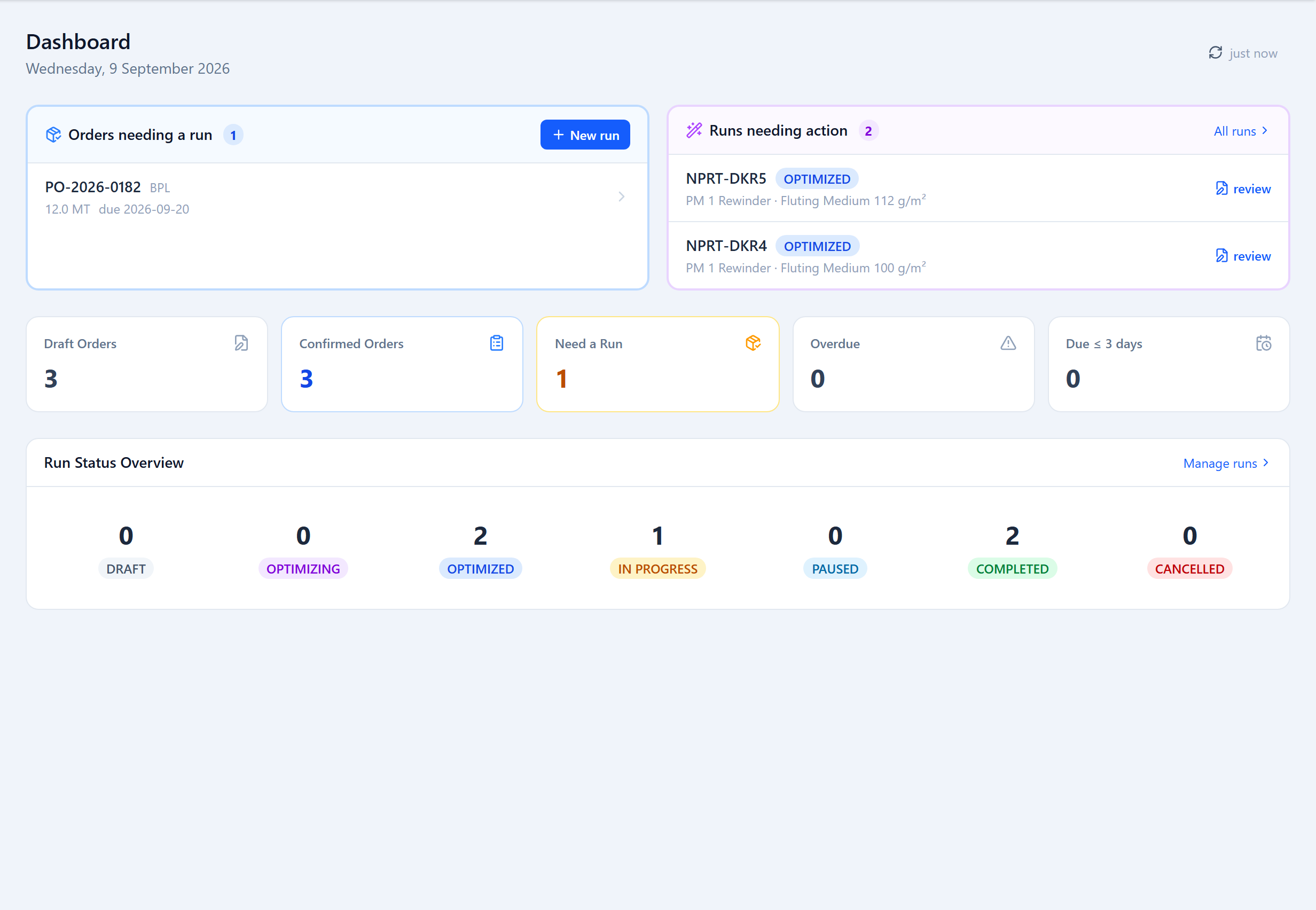
- Dashboard — a role-specific home screen: the planning queue for planners, the floor queue for operators, org health for admins.
- Production Runs — the full run lifecycle: create, optimize, review, edit patterns, run on the floor, complete.
- Scheduler — a drag-and-drop run queue per machine, and run migration between machines.
- Sandbox — what-if planning against a copy of a run.
- Orders, Labels, Customers — order intake for REEL / SHEET / THERMAL widths, free-form order tags, and the customer master with GST details.
- Raw Material, Inventory, Suppliers, Waste Log — parent-reel intake and stock, finished-goods stock and product reels, supplier records, and per-run waste events.
- Challans & Vehicles — GST / e-way-bill delivery challans and the vehicle & driver register.
- Machines, Paper Types, Descriptors — the master data the optimizer runs against.
- Reports — production, order, waste and revenue reporting with PDF / CSV export.
- Settings — organization profile, defaults, user accounts, API keys and webhooks.
Team Roles
Every user has one role. In short: Admin configures the mill and manages accounts; Planner runs order entry, optimization and run planning; Operator works the floor — starting runs, completing patterns, logging waste and dispatch; Supervisor has read access to production and reports, can start a run, and signs off overruns. Each role gets its own dashboard; see Roles & Access for the full permission matrix.
Next Steps
Follow the Quick Start Guide to go from an empty organization to your first optimized run.
Was this page helpful?
Something unclear or missing? Reach out and we'll update this page.