Modifying & Comparing
What You Can Change
- Add or remove widths, and edit a width's size or target weight.
- Add, edit or delete patterns.
- Edit a pattern's strips (which widths, how many of each) and its run-for weight.
- For a run-linked sandbox, re-run the optimizer.
The machine, paper type and GSM are fixed for the life of a sandbox.
The Manual Pattern Builder
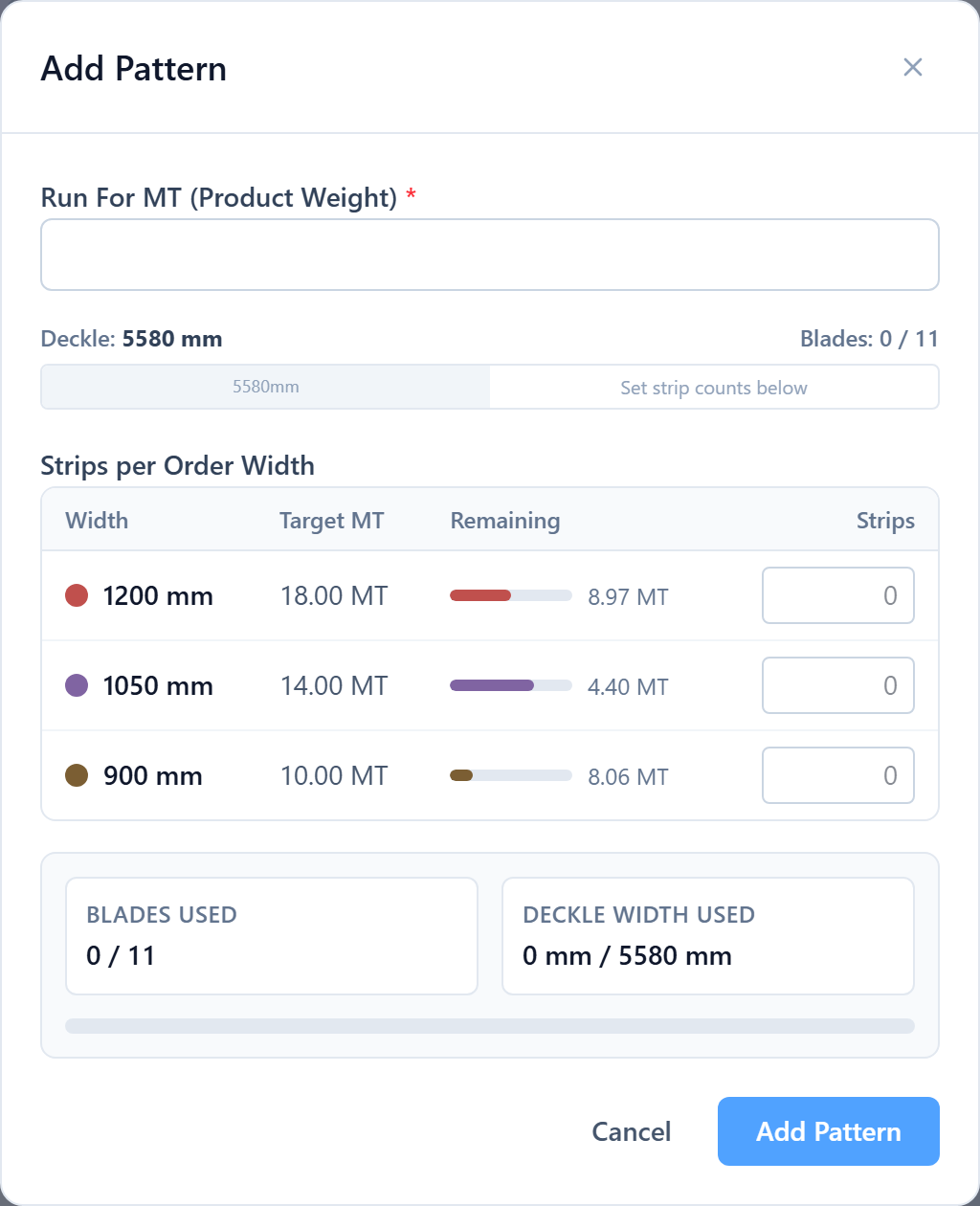
Add Pattern opens a builder where you place strips across the deckle. As you add each width it shows the running total, the leftover waste in mm and %, and warns if you cross the available deckle. This is the only way to build a standalone sandbox, and a way to override the optimizer in a run-linked one.
Re-optimising
A run-linked sandbox has an Optimize action that runs the full engine against the sandbox's current widths and replaces its patterns with the result — including any extra-size suggestions or overrun examples. The linked run is untouched until you apply the sandbox.
Reading the Waste
The sandbox shows its own overall waste % and a per-pattern breakdown, updating as you edit. To judge an improvement, compare that figure against the run you'd apply it to (open both — the sandbox links straight to its run).
Was this page helpful?
Something unclear or missing? Reach out and we'll update this page.