Settings & Defaults
Where Settings Live
Settings is reached from the avatar menu (top-right) and is open to Admin accounts only, except your own Profile which everyone can edit. It has these tabs: Profile, Organization, Defaults, Accounts, API, Webhooks, and — for a Super Admin — Archive / Delete.
Your Profile & Password
The Profile tab edits your own full name, email, phone and department, and has a separate Change Password form (current password, new, confirm). Every account can do this regardless of role.
Organization
The Organization tab holds the mill's own record — name, code, GSTIN, phone and address — which appears on delivery challans and reports. It also carries the Measurement Preferences below.
Measurement Units
Deckle Plus works internally in millimetres, but you choose how widths are shown and entered — mm, cm or inches — with the Default Measurement Unit on the Organization tab. Every width field across the app follows this setting. The same tab sets the organization-default average parent-reel weight (MT), used to estimate finished-reel counts for grades that don't set their own.
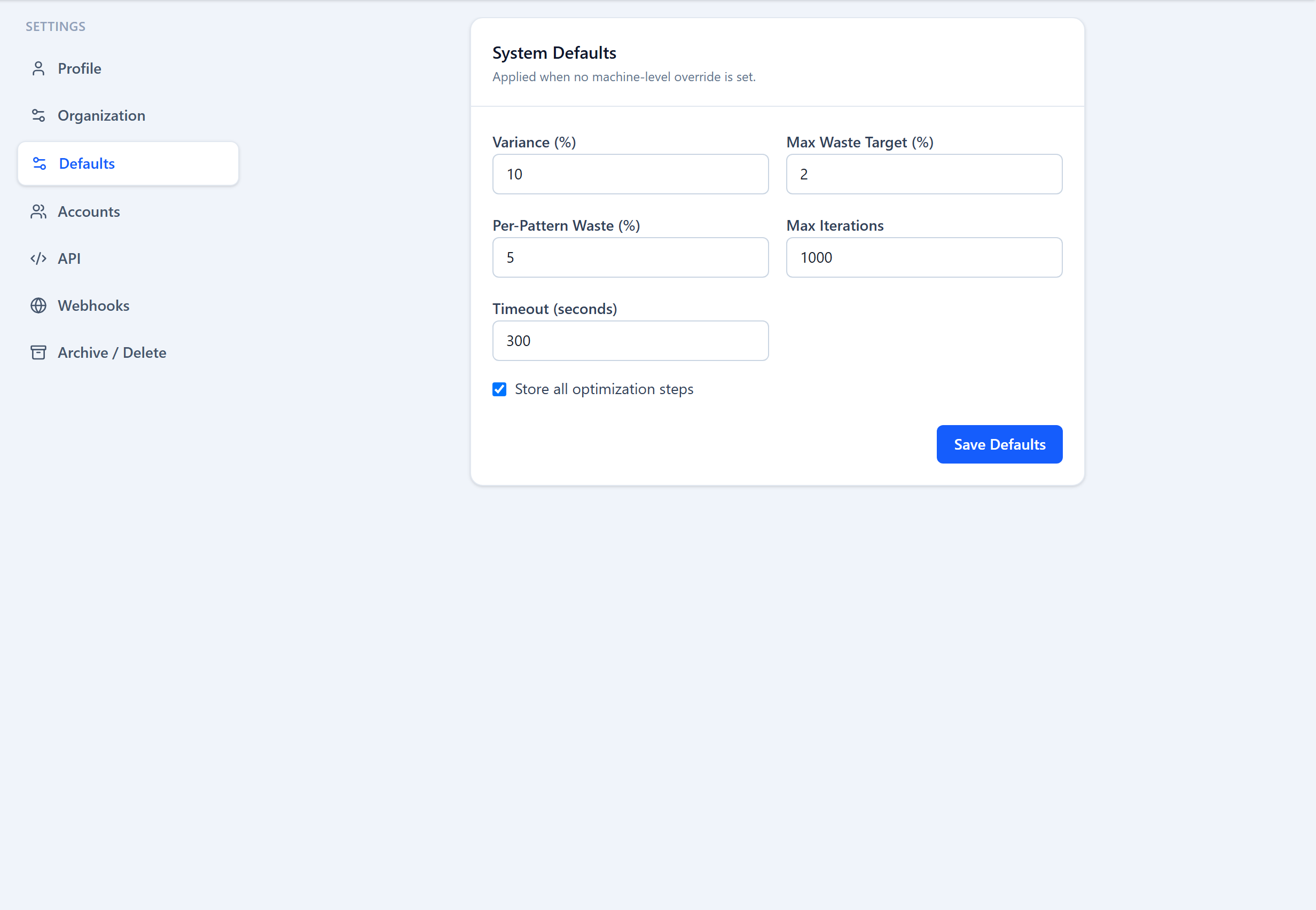
Optimization Defaults
The Defaults tab sets organization-wide starting values for the optimizer:
| Field | Type | Description |
|---|---|---|
Variance (%) key: defaultVariancePct | number | The allowed-variance value pre-filled on new order widths. |
Max Waste Target (%) key: defaultMaxWasteTarget | number | Default overall waste ceiling for new machines. |
Per-Pattern Waste (%) key: defaultPerPatternWasteTarget | number | Default per-pattern waste ceiling for new machines. |
Max Iterations key: maxOptimizationIterations | number | Upper bound on solver iterations before it returns its best plan. |
Timeout (seconds) key: optimizationTimeoutSeconds | number | How long the solver may run before returning its best plan. |
Store all steps key: storeAllOptimizationSteps | toggle | Keep the full step-by-step solver replay for every optimization (uses more storage). |
Was this page helpful?
Something unclear or missing? Reach out and we'll update this page.