Vehicles & Drivers
The Register
Vehicles & Drivers (Dispatch → Vehicles) is the transport directory used when raising delivery challans. It has two tabs — Vehicles and Drivers — and is open to Operators, Planners and Admins.
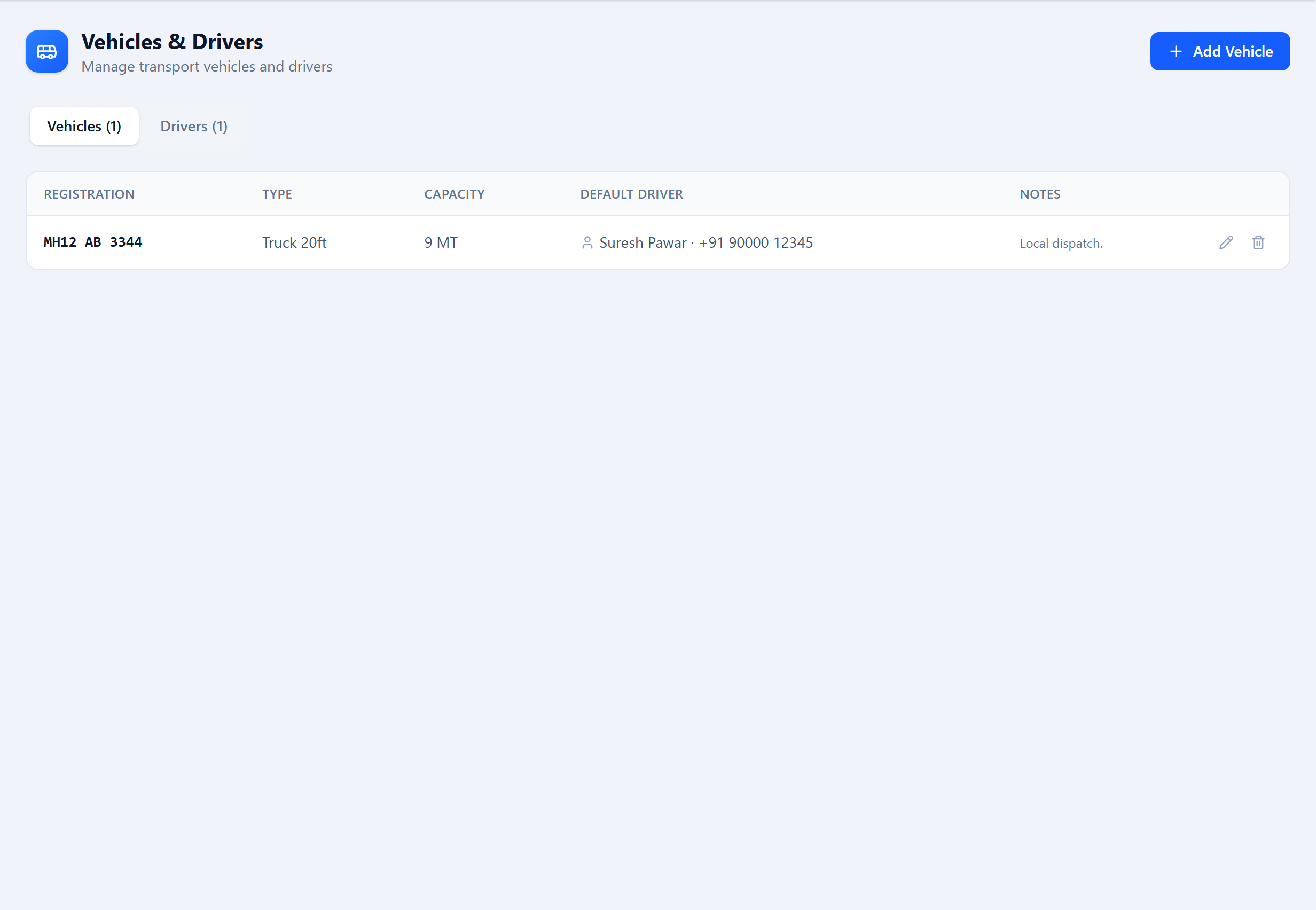
Drivers
| Field | Type | Description |
|---|---|---|
Name* key: name | text | Driver's name. |
Phone key: phone | text | |
License Number key: licenseNumber | text | |
Notes key: notes | text |
Vehicles
| Field | Type | Description |
|---|---|---|
Registration Number* key: registrationNumber | text | e.g. MH-12-AB-1234. |
Vehicle Type key: vehicleType | text | Truck, Tempo, Pickup, etc. |
Capacity (MT) key: capacityMT | number | Payload capacity. |
Default Driver key: defaultDriverId | select | The driver usually assigned to this vehicle. |
Notes key: notes | text |
On Delivery Challans
When you raise a delivery challan, the vehicle number and driver name are entered on the challan. Keeping the register current means those fields are quick to fill and consistent across documents.
Was this page helpful?
Something unclear or missing? Reach out and we'll update this page.