Completing & Dispatch
Completing a Run
When every pattern is done, an Operator, Planner or Admin marks the run Complete. Completing is final — there is no reopen. If a correction is needed afterwards, create a new run for the difference.
Recording Actuals
At completion you can record the run's actual figures — real paper consumed and real product weight — so the run's waste % reflects what happened on the floor, not just the plan. The run summary shows planned against actual side by side.
Confirming Product Reels
When reel tracking is on for the run, completing each pattern asks the operator to confirm the finished reel count (Deckle Plus estimates it from produced weight ÷ average parent-reel weight), and optionally each reel's ID and exact weight. Those confirmed product reels — each IN_STOCK, DISPATCHED or WRITTEN_OFF — are the physical units inventory and dispatch work with.
Into Inventory
Finished reels from a completed run are added to finished-goods inventory, keyed by paper type, GSM, width and descriptor fingerprint. From there they can be reserved against an order width or dispatched.
Recording Dispatch
Dispatch is a separate step from completion, and it is done in two places. On a Completed order, the Dispatch Order action (the truck icon) opens a per-width form: for each width it shows the available quantity (produced minus already dispatched) and takes the MT actually shipped, plus an optional note. This is what moves an order to Dispatched and feeds the dispatched-MT figures on the customer view and the Revenue / Dispatch reports.
Delivery Challans
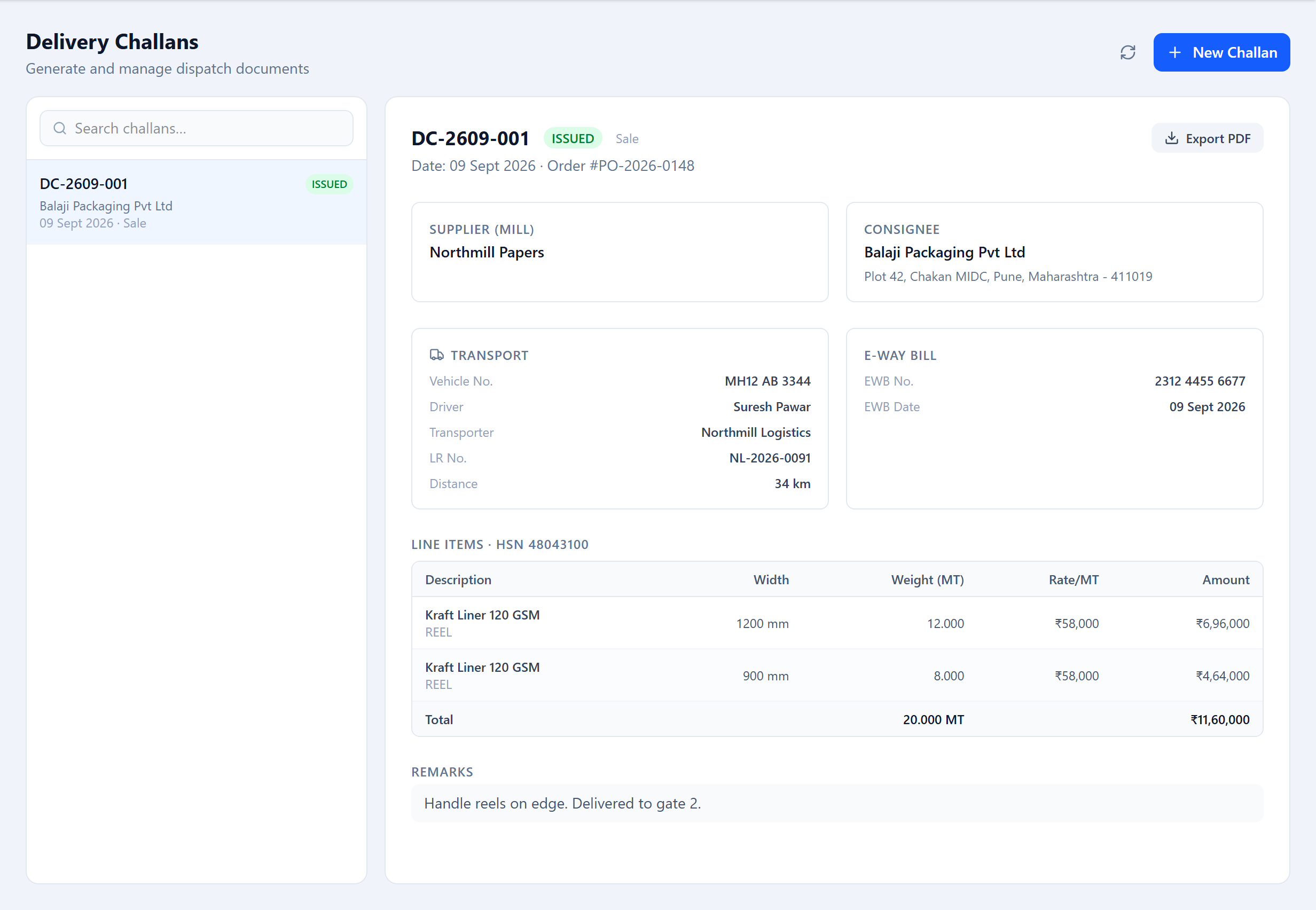
A delivery challan (Dispatch → Challans) is the printed goods document that travels with the shipment. Raise one for an order: pick a challan type (Sale, Job Work, Return, Branch Transfer), a vehicle and driver, and the line items. The customer's name, address and GST details (GSTIN, PAN, state code) fill in from the customer record. Save it as a Draft, then Issue it. Every challan is a print-ready PDF.
Dispatch History
The Challans screen keeps every challan — filter by date or customer and re-download any PDF. Challans are retained permanently.
Was this page helpful?
Something unclear or missing? Reach out and we'll update this page.