The Scheduler
The Board
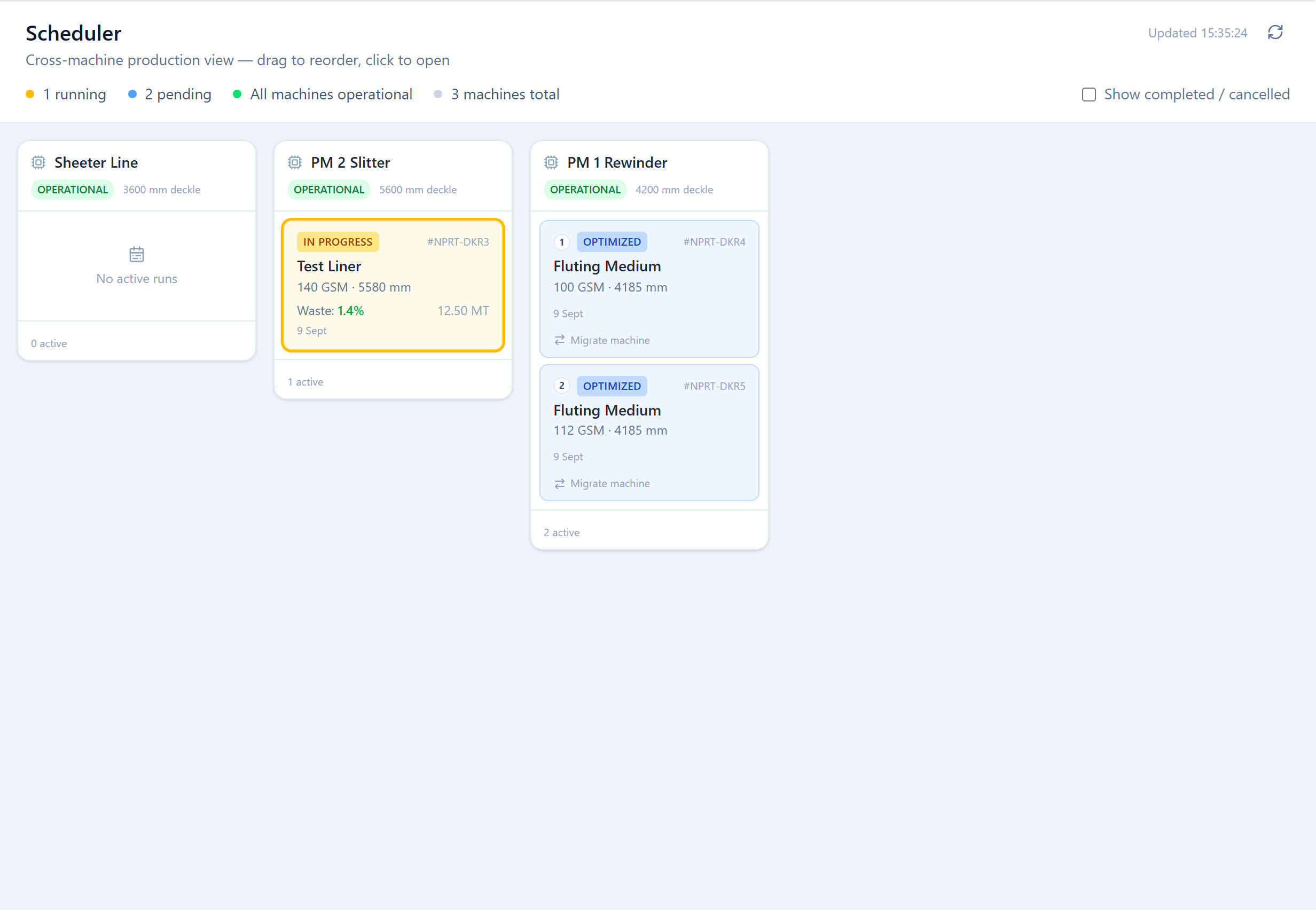
The Scheduler (Production → Scheduler) is a cross-machine board — one column per machine, one card per run — for Planners and Admins. A summary bar across the top shows how many runs are running, how many are pending, and whether any machine is marked down.
Reordering the Queue
Within a machine's column, drag the pending run cards into the order you want them produced. Operators see the same order on their dashboard's Up Next queue, so the Scheduler is how a planner tells the floor what runs next. A run that has already started can't be reordered below a pending one.
Migrating a Run
Use Migrate machine on a card to move a run to a different machine — for example when a machine goes down or is over-committed. You pick the target machine (the picker flags whether its deckle is wide enough for the run), and the run's plan is rebuilt against the new machine's constraints. Only runs that haven't started can be migrated.
Machine Status
A machine can be operational or marked Maintenance / Breakdown, with a reason and an expected-back time. When it is, the Scheduler shades that machine's column and shows the reason, and it is skipped when planning. (Machine status is currently set by the Deckle Plus team rather than in the app.)
Showing History
By default the board shows only active and pending runs. Tick Show completed / cancelled to see finished runs in each column too.
Was this page helpful?
Something unclear or missing? Reach out and we'll update this page.