Floor Execution
The Operator Dashboard
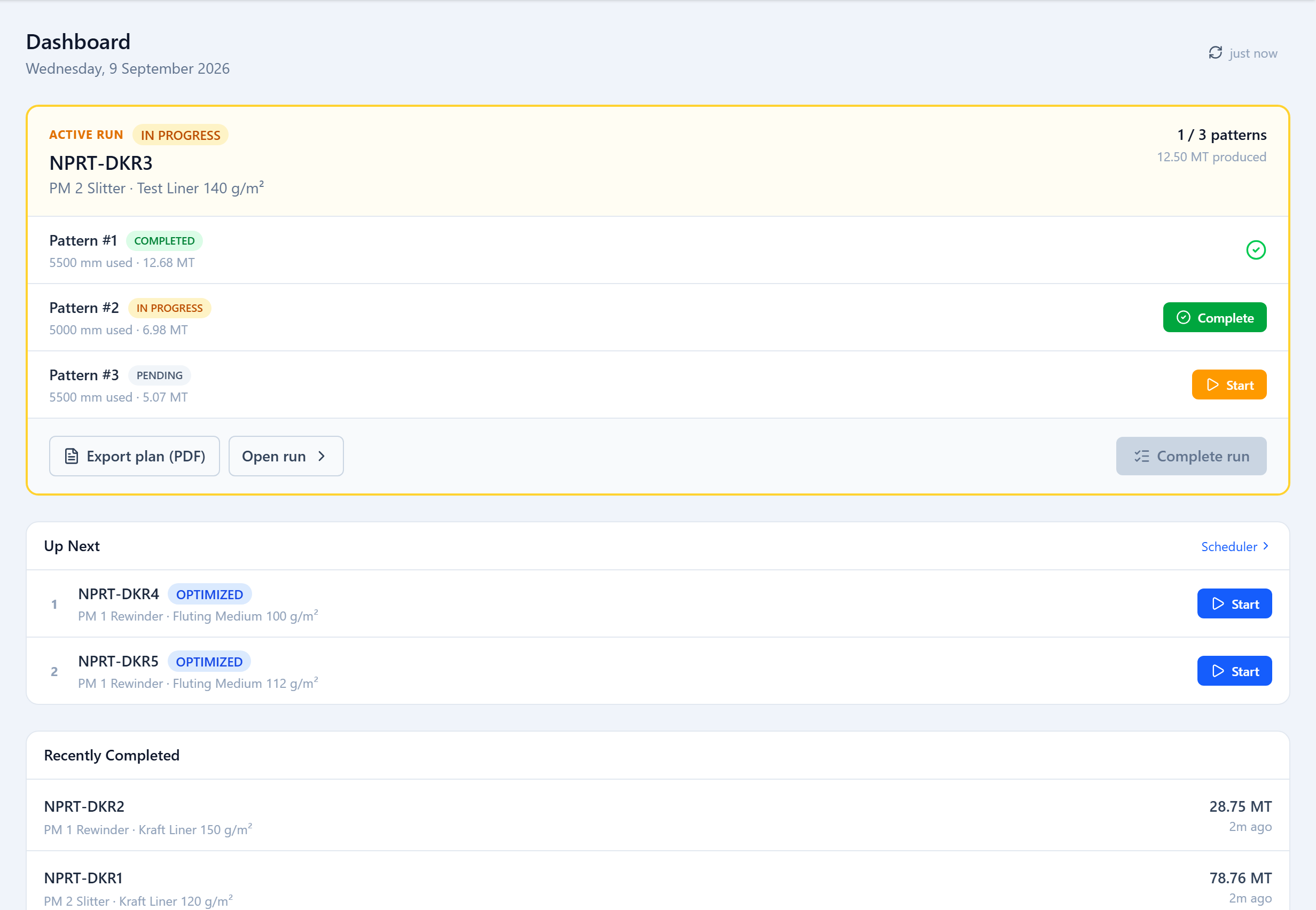
An operator's dashboard is a floor checklist. It shows the active run with each pattern and a Start / Complete button, plus an Up Next queue, any paused runs, and recently completed runs. Optimizer controls and pattern editing are not shown to operators.
Starting a Run
Once a run is Optimized with an accepted result (or built from a sandbox), an Operator, Planner, Supervisor or Admin clicks Start Production Run. That timestamps the start, moves the run to In Progress and locks the plan. A machine can only have one run in progress at a time — finish or pause the current one first.
To change the plan after a run has started, open its sandbox, make the changes there, and apply them back to the run.
Running Patterns
Operators work the patterns in sequence. Start a pattern to set the blades and begin; Complete it when the run-for weight is through. The sequence is the one the optimizer chose to minimize blade movement, but patterns can be run in another order and the system records what actually happened.
Pause & Resume
A pattern can be paused partway with a "% done" figure and resumed later; the whole run can be paused to free the machine and resumed when it is available again.
Recording Reels
If reel tracking is set up for the run, completing a pattern opens a reel breakdown — Deckle Plus estimates the number of finished reels from produced weight and the average reel weight, and the operator confirms the count (and optionally each reel's ID and weight). Those product reels are what later gets dispatched.
Was this page helpful?
Something unclear or missing? Reach out and we'll update this page.