Planner Guide
The Planning Queue
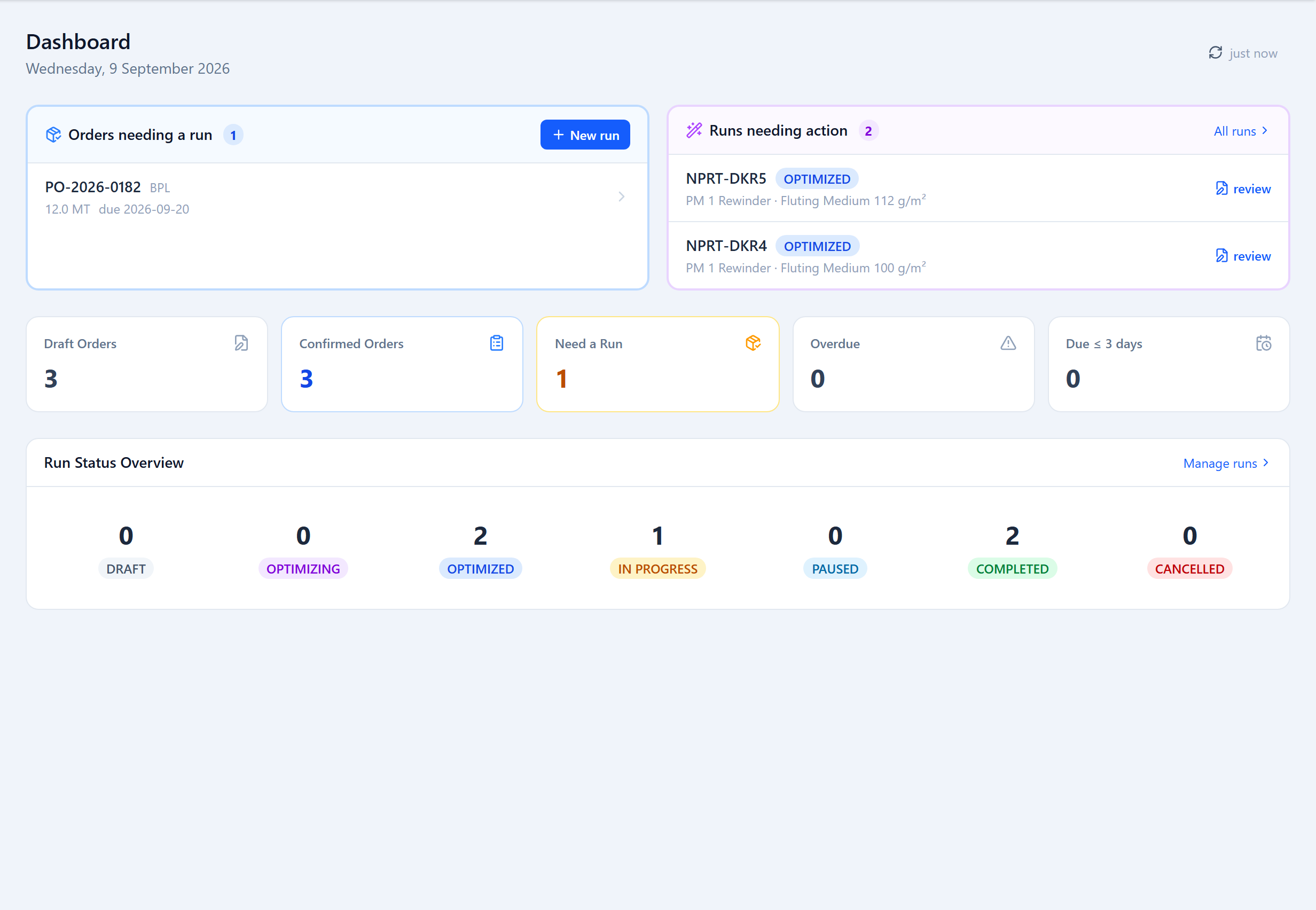
A Planner's dashboard is a work queue: Orders needing a run (confirmed orders not yet on a run), Runs needing action (draft or optimized, waiting on you), plus counts of overdue and due-soon orders and a run-status overview. It has a New run button.
What Planners Do
The Planner's job is production planning, not order entry. The Admin enters the orders; the Planner turns them into runs and moves each order along. A Planner's actionable screens are the dashboard, Production Runs, the Sandbox and the Scheduler — plus the Status Actions on an order's detail panel, where a Planner can Confirm an order, Start Production, Mark Complete and Dispatch.
Runs & Optimization
Start a run from the dashboard's New run button: pick a grade, pull the confirmed widths onto it, optimize, and accept the result that best balances waste against setup effort. Try the same widths on different machines — a narrower deckle sometimes wastes less. Use a sandbox for last-minute changes once a run is planned.
Re-optimize freely while a run is still Draft or Optimized. Once an operator starts it, changes go through the run's sandbox instead.
The Scheduler
The Scheduler (Production → Scheduler) is a per-machine queue of runs. Drag the pending runs into the order you want them produced — operators see the same order on their dashboard — and migrate a run to another machine if one is down or over-committed.
View-only Screens
A Planner can open Customers, Labels, Inventory, Raw Material and Suppliers to check status, stock and history, and can scan a width's QR code — but the add/edit actions on those screens are the Admin's. On Orders, a Planner can't add or edit an order or its widths, but can run its Status Actions.
Was this page helpful?
Something unclear or missing? Reach out and we'll update this page.