Admin Guide
The Admin Dashboard
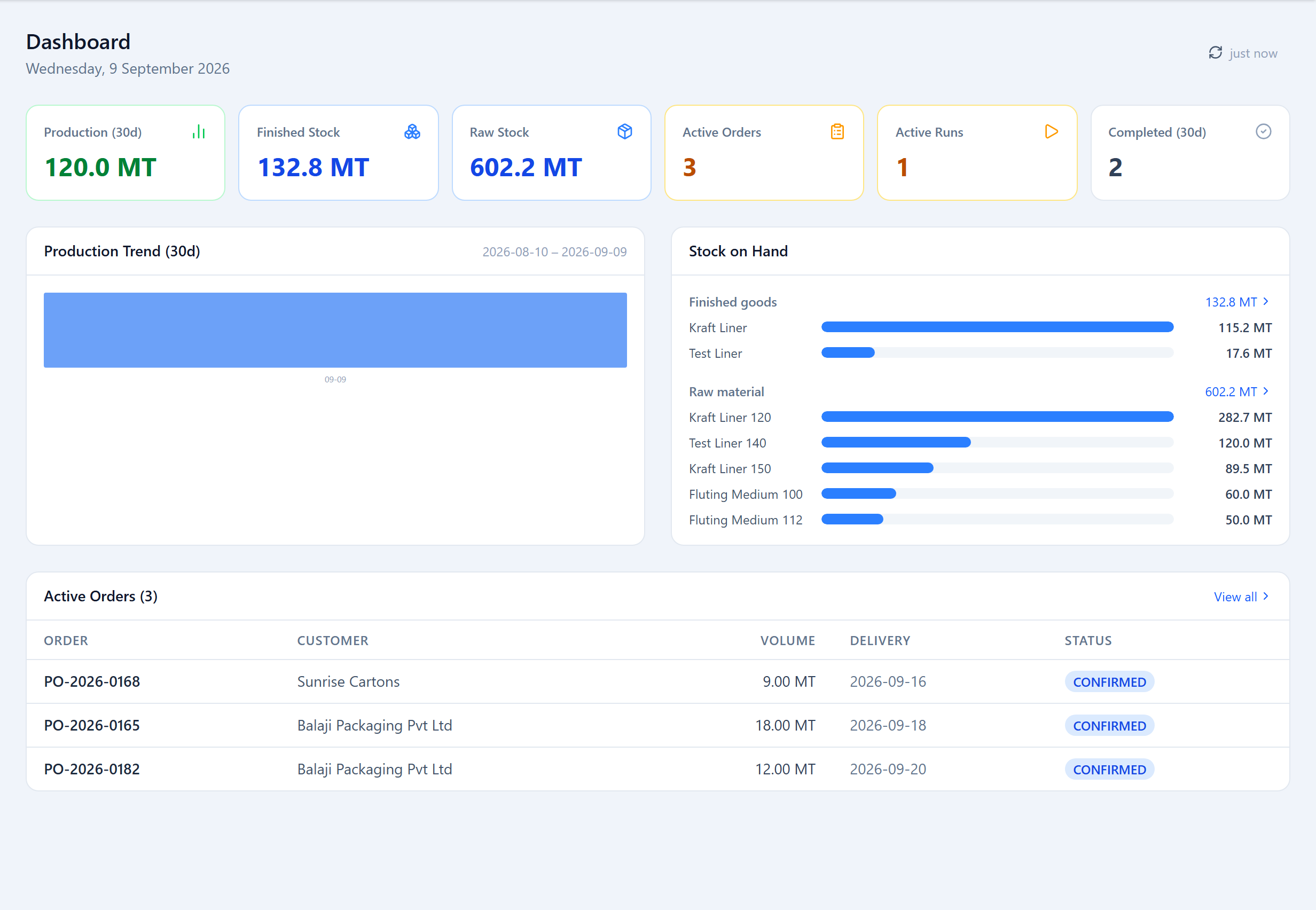
An Admin's dashboard is an org-health view: 30-day production (MT), finished and raw stock on hand, active orders, active runs, completions, a production trend chart and a stock-on-hand breakdown.
What the Admin Owns
The Admin is the only role that can enter or change the records everything else runs on: machines, paper types and GSM, descriptors, customers, orders and order widths, labels, raw-material intake, and manual inventory. Planners, Operators and Supervisors view these (where their role allows) but plan and produce against them rather than editing them.
Master Data
Under Setup: Machines, Paper Types & GSM, and Descriptors. Deleting any of these is a soft delete; historical runs that reference them are preserved. Customers live under Orders → Customers and labels under Orders → Labels.
User Accounts
In Settings → Accounts, create Admin or Staff accounts with a username, password, email, role, and (for operators) an optional home machine. You can edit, disable and reset accounts here; a disabled account can't log in but its history stays in the audit trail. There is no cap on accounts per role.
Settings
Settings also holds the Organization record (details, GST, measurement unit, average parent-reel weight), the Defaults tab (optimization tuning), and the API and Webhooks tabs. See Settings & Defaults.
Audit & Archive
State-changing actions are recorded with the actor, time and source IP; history is attached per entity — see Audit Trails. A Super Admin additionally has an Archive / Delete tab that can archive all orders/runs/sandboxes (hidden from normal views, recoverable) or permanently delete data by category — orders, runs, sandboxes, inventory, customers, machines, paper types, descriptors.
Was this page helpful?
Something unclear or missing? Reach out and we'll update this page.