Deckle Plus — Paper Mill Cutting Optimization Software
Reduce paper mill trim waste to under 0.5% with mathematically-optimal deckle cutting patterns. End-to-end production management for paper mills: orders, inventory, runs, and dispatch in one platform.
Note: This website requires JavaScript. For complete machine-readable content, see /llms-full.txt.
What Deckle Plus Does
Deckle Plus solves the deckle matching problem — the challenge of cutting fixed-width paper reels into narrower customer-specified widths with minimum trim waste. It uses a two-phase algorithm (column generation + knapsack solve) that runs in milliseconds, reducing trim waste from a typical 2–5% to under 0.5%. Demand is entered as a target weight in metric tons per width, not a roll count. Organizations are provisioned by the Deckle Plus team; there is no self-serve signup.
Key Pages
- Solution — All platform features explained
- Pricing — Subscription plans by daily output
- Use Cases — By industry and mill size
- Documentation — Getting started and full feature guides
- About — Company background
- Contact — Book a demo or get support
- Sandbox — Free interactive optimizer (no account needed)
Features
- Two-phase optimization engine (column generation + knapsack)
- REEL and SHEET cutting optimization; THERMAL order tracking
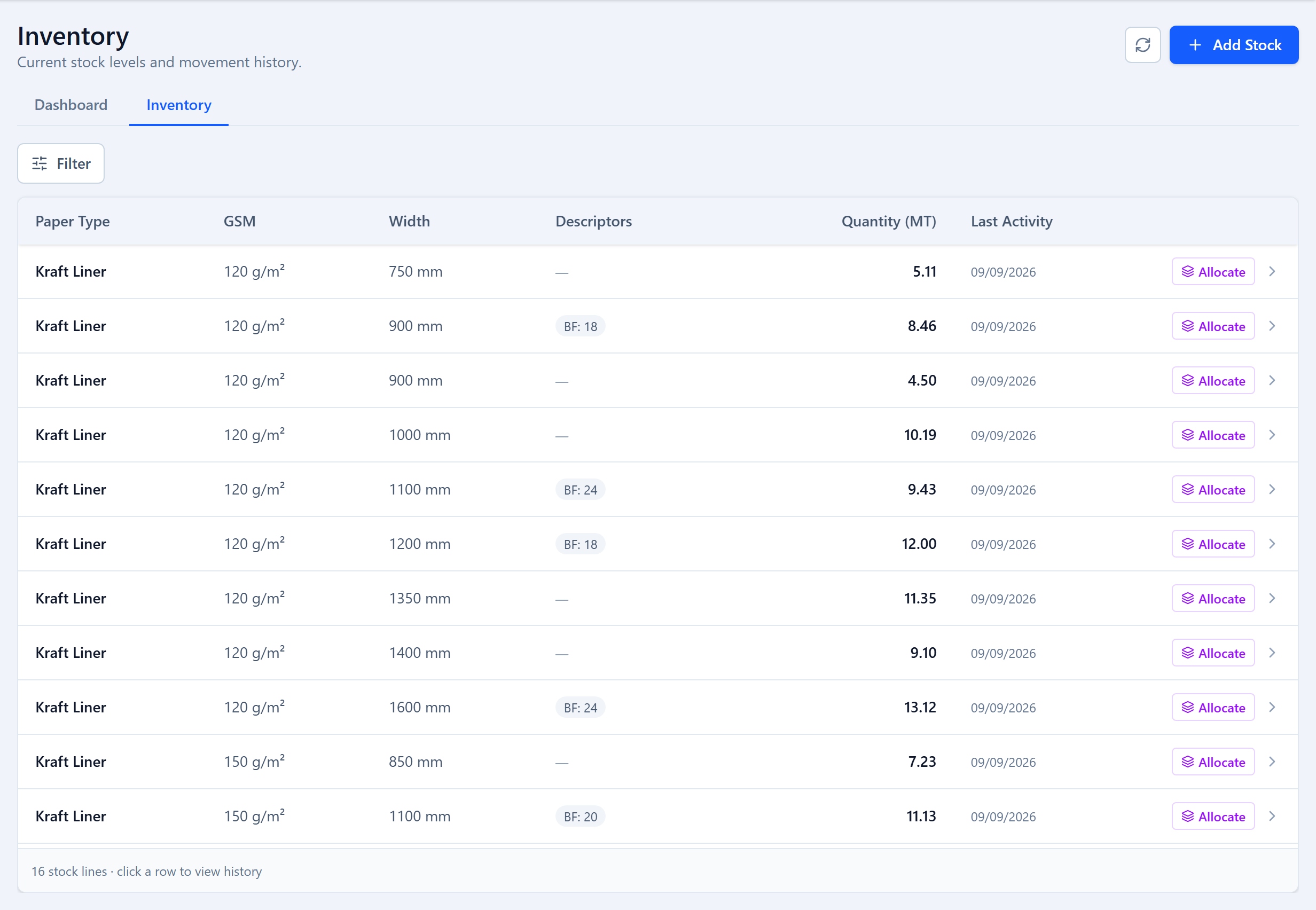
- Raw-material and finished-goods inventory with automatic FIFO allocation
- Sandbox what-if analysis
- Role-based access: Admin, Planner, Operator, Supervisor
- GST PDF delivery challan generation
- CSV order import / export
- Read-only REST API for ERP, MES and BI integration
Company
Deckle Plus is a product of Apice Tech Private Limited (https://apicetech.com), an RSBPL group company: Apice Tech is a sister company of RS Barcoders Private Limited (https://rsbpl.com). New Delhi, India.
Email: contact@deckleplus.com | Phone: +91 98118 98580
Address: 107/4, Vishwadeep Tower, Janakpuri, New Delhi, India 110058
Full machine-readable content: deckleplus.com/llms-full.txt